
How it works
How AI vending coolers work
A tap-to-open smart cooler feels like magic the first time you use it. There’s nothing mysterious underneath — cameras, weight sensors, and a reconciliation step at the door. Here’s exactly what happens, including what the cameras do and don’t see.
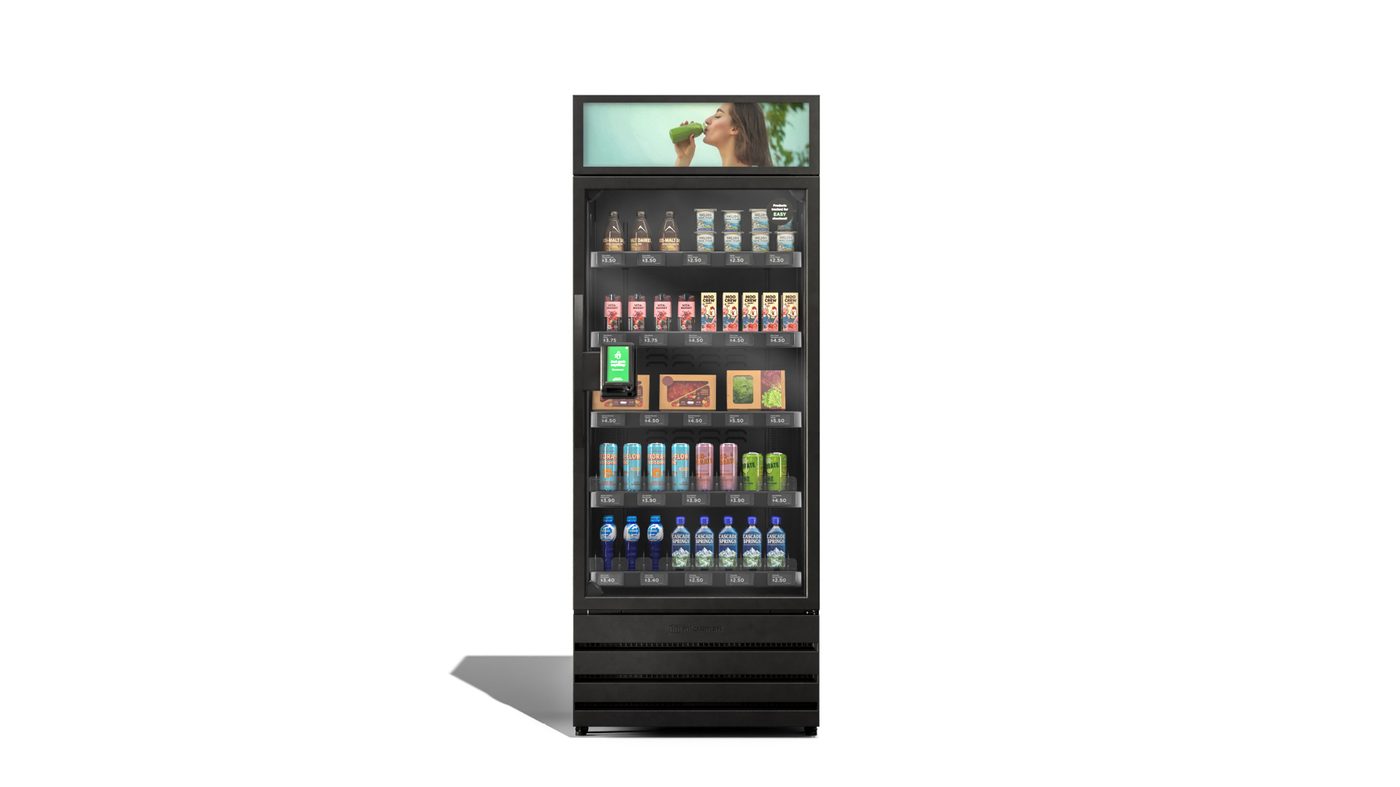
The tap-to-open sequence
You tap a card or a badge at the reader, the door unlocks, and you take what you want. There’s no scanning, no barcode, no scale to weigh a single item. You just take your food or drinks and close the door. The cooler figures out what left the shelf and charges for exactly that.
That’s the whole customer experience. What makes it possible is a combination of overhead and in-shelf cameras paired with weight sensors mounted under every shelf.
Vision and weight, working together
Overhead cameras track hand and arm movement toward the shelves. In-shelf cameras, mounted at product level, get a close look at what’s actually being picked up — useful for telling two similar-looking drinks apart. Underneath each shelf, weight sensors register a change the instant something is lifted or set back down.
Neither signal is trusted alone. Vision can misjudge an item in a crowded shelf; weight alone can’t tell a sandwich from a salad if they weigh the same. The system cross-checks the two: vision proposes what moved, weight confirms how much mass left that slot, and the two have to agree before an item is added to your basket.
Picked up, then put back
People browse. You pick up a drink, decide against it, and put it back on the shelf — that’s normal, and the system is built for it. The weight sensor sees the mass return to that slot and vision confirms the item went back in, not into a bag. Nothing is added to your basket for items that are returned before the door closes. The final basket is only settled when you close the cooler door, not the moment you touch something.
What happens if the network drops
Vending sites don’t always have rock-solid connectivity, so the cooler is built to keep working through a network outage. The door still unlocks on tap, vision and weight still reconcile the basket locally on the unit, and the transaction is queued. Card authorization follows standard behavior for offline-capable payment terminals — in most cases the purchase completes normally and settles with the card network once the connection is back. Once the unit reconnects, queued transactions sync automatically and the inventory count catches up. Nobody has to do anything for this to happen.
How pricing is shown
Prices are posted right on the shelf tag or the door display next to each product, the same as a cooler case at a convenience store. You know what something costs before you pick it up, and the receipt reflects exactly the shelf price — no surprise convenience fee added at checkout.
Restocking driven by data, not guesswork
Every open-and-close cycle updates a live inventory count for that specific cooler. That telemetry — what sold, what’s low, what’s approaching its pull date — builds the restocking route for the week. A driver shows up with a pre-picked case built from what that site actually needs, instead of restocking on a fixed schedule regardless of demand.
Privacy: what the cameras actually do
This is usually the first question we get from an office manager, and it deserves a direct answer. The cameras inside and above a Micromart cooler are positioned to watch the shelves and the products on them — not to identify the faces of the people shopping. There is no facial recognition running on these units.
The video and sensor data exist for two purposes: reconciling each transaction (confirming what left the cooler so the right charge goes through) and loss prevention (catching cases where the vision and weight signals don’t agree). It isn’t used to build a profile of individual shoppers, and it isn’t shared with the property or employer as a purchase-by-purchase report.
There’s no cash on site, which removes an entire category of loss-prevention concern that older vending machines carry. Card data is handled by the payment processor at the point of sale — it isn’t stored on the cooler itself. The employer or property hosting the unit doesn’t receive a list of who bought what; they see aggregate usage, not individual transaction histories.
What you’d tell your team: the cooler unlocks with a tap, uses cameras and weight sensors on the shelves to figure out what you took, and charges only for that. It’s not tracking faces or reporting individual purchases back to the company — it’s built to get your checkout right and keep the shelves stocked.
Frequently asked questions
Do the cameras use facial recognition?
No. The cameras are positioned and configured to watch the shelves and the products on them, not to identify faces. There’s no facial recognition running on these units.
What happens if I pick something up and put it back?
Nothing is charged. The system watches what leaves the cooler and what returns to the shelf, and reconciles your basket against what’s missing when the door closes. Putting an item back removes it from your basket.
What happens if the internet goes down?
The cooler keeps unlocking and operating locally. Card authorization may be held and settled once connectivity returns, using standard behavior built into the payment terminal rather than anything unique to the cooler. Purchases sync to the account once the unit is back online.
Does my employer see what I bought?
No. Purchase-level detail belongs to the payment and inventory system, not the property or employer. Sites see usage and satisfaction at a high level, not a list of who bought what.
How does the system know what to restock?
Every open-and-close cycle updates a live count of what’s on the shelf. That telemetry drives the restocking route, so a driver shows up with the right product instead of guessing.
See if a Micromart cooler fits your break room
We’ll walk you through exactly how it works on-site, and tell you plainly whether your location qualifies for no-cost placement.
Tell us about your site.
If you're a fit, we'll be in touch within one business day to schedule a quick site review.
No-cost placement review for qualified locations.
Lead goes straight to our team.
Exclusive Micromart placement only.
Serving Dallas–Fort Worth
Flyby places and services machines across the Metroplex. Start with your city or the service that fits your building.
- Office vending serviceManaged vending and micro markets for DFW workplaces.
- Warehouse vending serviceRound-the-clock options for industrial and logistics sites.
- Apartment vending machinesOn-site convenience for multifamily communities.